HTML to websiteupload a file, get a live link
Your HTML file is already a web page. Upload it and dplooy puts it online at its own https:// address in seconds, so anyone can open it. Free, nothing to convert.
- Free, no credit card
- Live in seconds
- Free SSL
- Nothing to convert


How to turn an HTML file into a website
Three steps, about a minute, no credit card. The file goes up exactly as you made it.
Several files? Use ZIP to website or upload the whole folder.
- 1
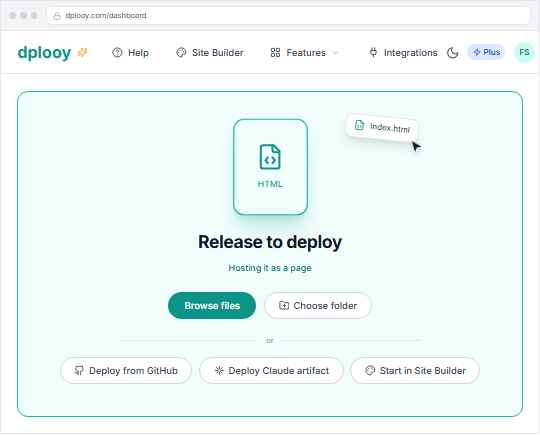
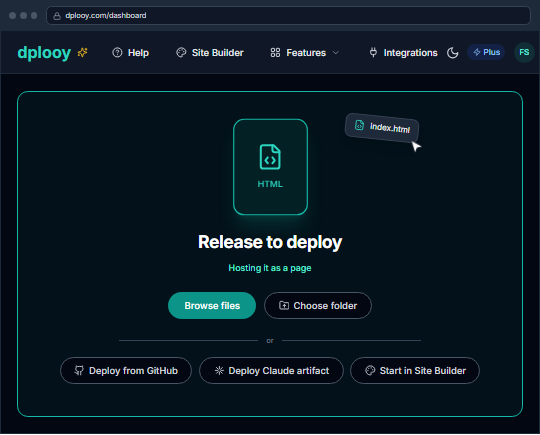
Drop your HTML file on the dashboard
Drag your .html file onto the dashboard, or click the drop zone to choose it. dplooy sees it is a web page and opens the upload window for you.
- 2
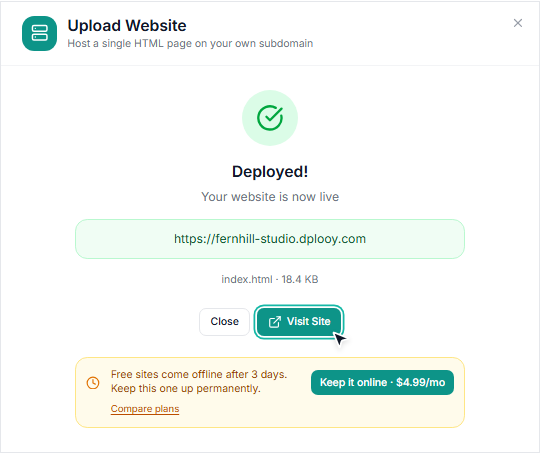
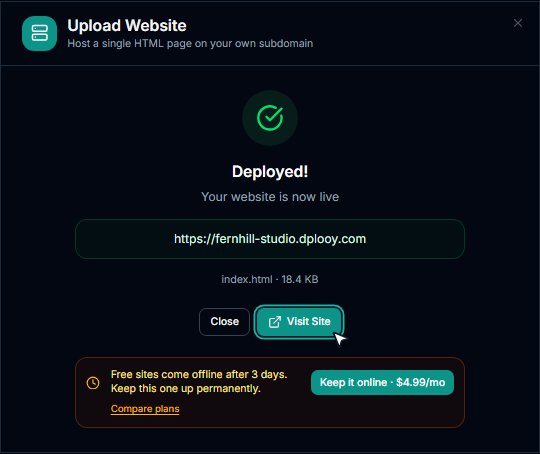
Pick an address and deploy
Choose your your-name.dplooy.com address and press Deploy. The next screen shows the live link to copy, and Visit Site opens it.
- 3
Share the link and see who opens it
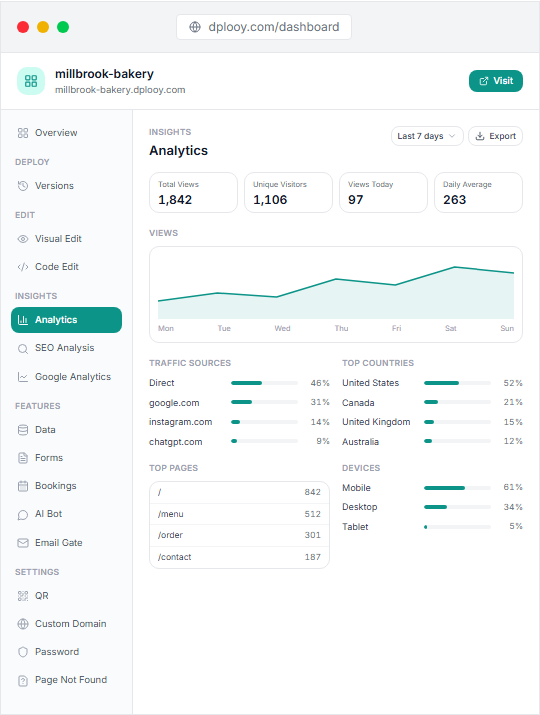
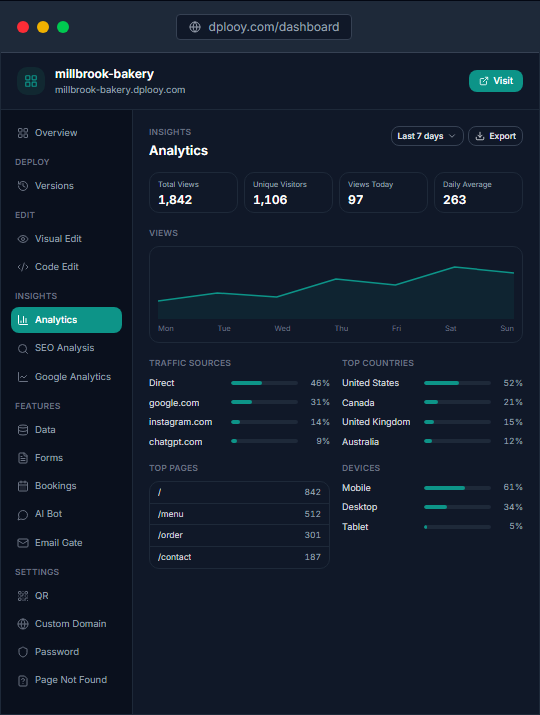
Send the link, or download its QR code to print. The site's analytics show views, countries and devices as people open it.


Do you need an HTML to website converter?
No. A browser already reads your HTML file as a web page. What turns it into a website is hosting: putting it on a server with an address, so other people can open it too. That is the whole job, and your file isn't changed.
Works as a single HTML file
- CSS and JavaScript inside the file (<style>, <script>)
- CSS frameworks from a CDN, like Tailwind or Bootstrap
- Google Fonts and other web fonts by link
- Images, video and embeds loaded by https:// address
- Pages an AI wrote for you in ChatGPT, Claude or Gemini
Upload the whole folder instead
- Separate style.css or script.js files next to it
- Images saved on your computer (photo.jpg, logo.png)
- More than one page linking to each other
- A React, Vue or Vite project (build it first)
These need their files beside the HTML. Zip the folder and use ZIP to website, or see how to deploy a Vite or React app.
Your HTML website, after it's live
The link is the start. Here is what you can do with the site from your dashboard.
- Update it at the same address
- Replace file swaps in a new version without changing the link. Plus and Pro keep the old ones in Versions.
- Edit it on the page
- The visual editor changes text, links and colours right on the live site, on every plan. Pro adds a code editor.
- Share it as a QR code
- Every site has a QR code, downloadable as a 512px PNG — big enough for a poster or a table card.
- See who opened it
- Views, countries, devices and referrers for each site, with no tracking code to add.
- Keep it private
- Put a password on the whole site on Plus and Pro — handy for a client preview.
- Use your own domain
- Point a domain you own at the site on Pro, with SSL set up for you.
HTML to website, free or paid
Free puts your page online for 3 days. Plus and Pro use the same steps and keep it online for good.
| Specification | Free$0 | Plus$4.99/mo | Pro$12.99/mo |
|---|---|---|---|
| Stays online | 3 days | Never expires | Never expires |
| Sites at once | 3 | 25 | Unlimited |
| Max file size | 5 MB | 50 MB | 100 MB |
| Free SSL | |||
| dplooy.com address | |||
| QR code and analytics | |||
| No Dplooy badge | |||
| Password protection | |||
| Your own domain |
HTML to website: questions
How do I turn an HTML file into a website?
Upload it. Drop the .html file onto your dplooy dashboard, pick an address, and press Deploy. A few seconds later it is a live website at https://your-name.dplooy.com that anyone can open.
Is there a free HTML to website converter?
You don't need a converter: an HTML file already is a web page. What it needs is hosting, so other people can open it on a link. dplooy hosts it for free, with SSL, and nothing in your file is changed.
How do I turn an HTML file into a link?
Upload the file to dplooy and you get a https:// link straight away. Copy it from the Deployed screen, or download the site's QR code to print or share.
How do I get a URL for my HTML file?
Every upload gets its own address, your-name.dplooy.com, where you choose the name. Leave the name blank and dplooy picks one for you. On Pro you can use your own domain instead.
How do I share an HTML file online?
Upload it and send the link. The person you send it to opens a normal web page in their browser, on a phone or a computer, with nothing to download and no account needed.
Can I view an HTML file online?
Yes. Once it is uploaded, the page opens in any browser at its link, exactly as it looks on your computer, and works on phones too.
Do I need a domain to put an HTML file online?
No. Every site gets a free dplooy.com address with SSL. If you own a domain, Pro lets you point it at the site.
Is turning HTML into a website free?
Yes. The Free plan hosts up to 3 sites at once, up to 5 MB per file, with SSL, analytics and a QR code. Free sites stay online for 3 days; Plus ($4.99/mo) and Pro ($12.99/mo) sites never expire. No credit card to start.
Can my HTML file use CSS, JavaScript and images?
Yes, as long as they are inside the file or loaded from a full https:// address — inline <style> and <script>, CSS frameworks from a CDN, Google Fonts, images by URL. Separate local files such as style.css or photo.jpg need to go up together, as a ZIP or a folder.
What if my website has more than one HTML file?
Upload the whole site instead: zip the folder and use ZIP to website, or drop the folder itself. Every page, stylesheet and image keeps its path, and index.html becomes the home page.
Can I update my website after uploading the HTML?
Yes. Replace file swaps in a new version at the same address on every plan, and the visual editor changes text, links and colours right on the live page. Plus and Pro keep earlier versions; Pro adds a code editor.
Is my HTML website secure?
Every site is served over https:// with a certificate set up for you, and every upload is scanned for malware and phishing before it goes live.
Can I see who opens my HTML page?
Yes. Each site shows its views, countries, devices and where visitors came from. Free keeps 7 days of history, Plus 30 days and Pro 90 days.
More ways to put a website online
- Upload an HTML file online freeOne HTML page, a live link in seconds.
- ZIP to websiteA whole site in one archive, live on a URL.
- Host HTML, CSS and JS togetherUpload the site folder with every file in place.
- Temporary website hostingA page that only needs to be online for a few days.
- Host a Claude artifactDownload it from Claude and drop it in.
- How to host an HTML websiteThe step-by-step guide.
Turn your HTML file into a website
Upload it, copy the link, send it. Free, no credit card.