Free static website hostinglive in seconds
Drop your HTML, CSS and JavaScript — one file, a ZIP or a whole folder — and get a live https address. No GitHub, no command line, no credit card.
- No credit card
- Free SSL
- Global CDN
- 99.9% uptime


How to host a static website for free
From files on your computer to a live website in under 60 seconds. Same three steps on every plan.
Other ways to deploy
- 1
Drop your files
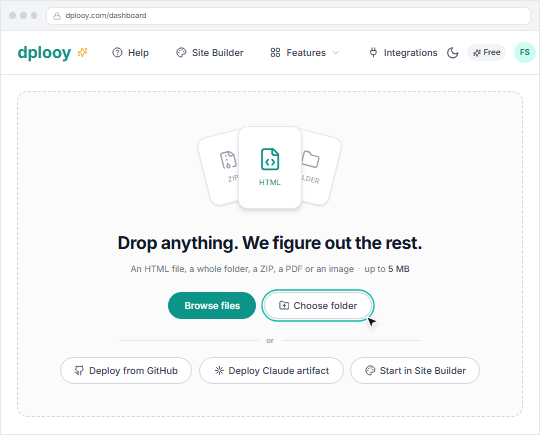
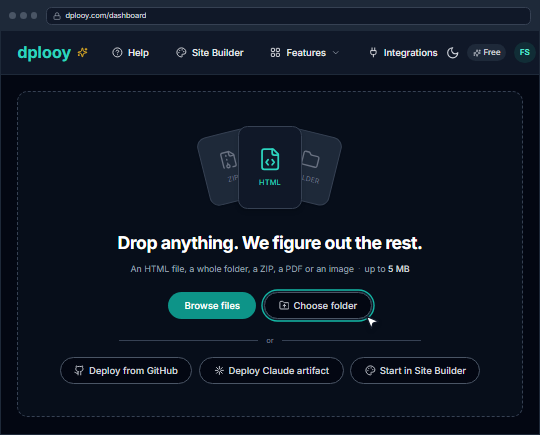
Drop a single HTML file, a ZIP, or your whole site folder onto the dashboard — or press Browse files or Choose folder. HTML, CSS, JavaScript, images and fonts all go up together.
- 2
Pick an address and deploy
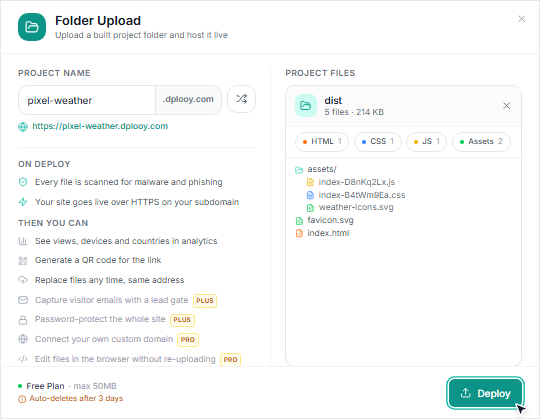
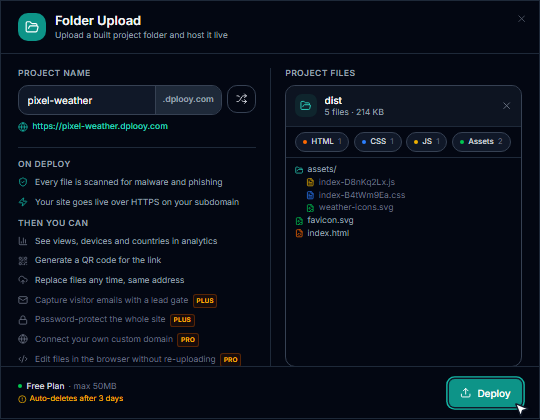
Choose your name.dplooy.com address and press Deploy. dplooy scans every file, provisions your SSL certificate and deploys to our global CDN — all automatically, in seconds.
- 3
Your site is live
Share your https:// link and watch visitors arrive in analytics. Update any time with Replace files — same address, settings intact — or the built-in code editor.
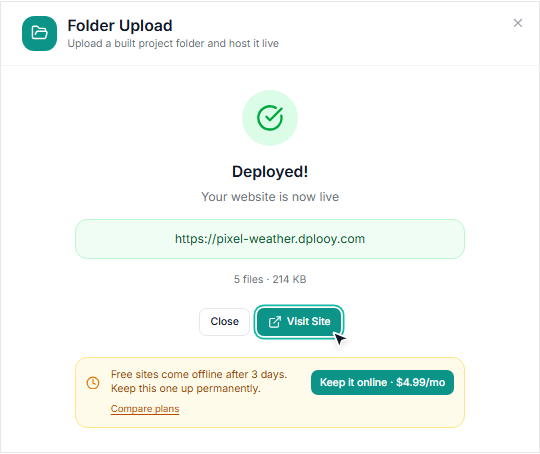
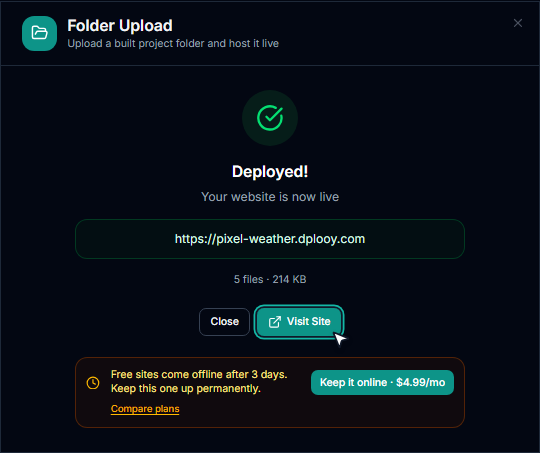


Built with React, Vue or Vite? Upload the build.
Static hosting serves what your framework builds — the dist or build folder. Drop the source folder by mistake and nothing is uploaded: you get the exact commands for your framework instead of a blank page.
Rather not build on your laptop? Connect GitHub and the build runs on every push.
Recognised: Vite · Next.js · Nuxt · SvelteKit · Astro · Angular · Remix · Webpack
Where static hosting stops
Plain files can't receive anything. Each gap is closed on the same hosted site — no second service.


A contact form has nowhere to post
Dplooy Forms
Plus & ProPoint the form at an endpoint we host. Submissions land in an inbox you can search and export, with spam filtering and an email on every entry.
How Dplooy Forms works

Nothing can take a booking
Dplooy Bookings
Plus & ProAn embeddable booking widget with approval, correct timezone handling, and email to both sides across the whole request-to-decision lifecycle.
How Dplooy Bookings works

Changing a price means re-editing HTML
Dplooy Data
Every planKeep repeating content — services, menus, testimonials — in editable collections. Change a row and the live page follows, with no redeploy.
How Dplooy Data works

No one is there to answer a question
AI Chatbot
Plus & ProA chatbot grounded in your own site's content, injected into the page at serve time. No script to wire up, no second subscription.
How AI Chatbot worksWhat is static website hosting?
A static website is made of pre-built files — HTML for structure, CSS for styling, and JavaScript for interactivity. Every visitor gets the same files, delivered directly from a server with no processing in between.
Unlike WordPress or PHP sites that build each page on the fly (querying databases, running server code), static sites are already built. This makes them faster, more secure, and cheaper to host — which is why so many people convert WordPress to a static site in the first place.
Portfolios, landing pages, documentation, business sites, student projects and product catalogues with payment links are all static — output from any of the major static site generators too. If yours doesn't need a database, you're overpaying for traditional hosting.
Static website
- Fast
- Secure
- Cheap
- Simple
Dynamic website
- Slower
- More attack vectors
- Expensive
- Complex
Why static website hosting just works
- Lightning Fast
- No database queries or server processing. Files are served directly from edge locations worldwide, delivering sub-second load times.
- Inherently Secure
- No server-side code means no SQL injection, no server exploits, no security patches. Static sites have a minimal attack surface by design.
- Costs Almost Nothing
- No application servers, no databases, no backend infrastructure. Static hosting is dramatically cheaper — and free on dplooy.
- Scales Effortlessly
- Whether you get 10 visitors or 10,000, static files are served the same way. No server crashes, no scaling configuration needed.
- Zero Maintenance
- No OS updates, no runtime patches, no dependency vulnerabilities. Deploy and forget — your site just works.
- SEO Optimized
- Faster load times and reliable uptime directly improve search rankings. Static sites consistently score higher on Core Web Vitals.
Free static hosting, in actual numbers
No asterisks. Free sites go offline 3 days after you deploy them and are removed 7 days later — upgrade before then and the site comes back at the same address, for good.
| Specification | Free$0 | Plus$4.99/mo | Pro$12.99/mo |
|---|---|---|---|
| Hosted sites | 3 | 25 | Unlimited |
| Account storage | 50 MB | 500 MB | 5 GB |
| Max file size | 5 MB | 50 MB | 100 MB |
| Traffic & bandwidth | Unlimited | Unlimited | Unlimited |
| Site expiry | 3 days | Never | Never |
| Free SSL | |||
| Global CDN | |||
| dplooy.com subdomain | |||
| Deploy history | 1 version per site | 3 per site | |
| Your own domain |
Storage is counted across your whole account, sites and media library together.
Free static website hosting: questions
What is static website hosting?
Static website hosting serves pre-built HTML, CSS, and JavaScript files directly to visitors without any server-side processing. Unlike dynamic hosting (WordPress, PHP), there are no databases or server scripts — just fast, secure file delivery. If your website doesn't need a backend, static hosting is faster, cheaper, and more secure.
Is this static website hosting really free?
Yes! dplooy's free plan includes 3 hosted websites, 50MB storage, unlimited traffic, free SSL certificates, and custom subdomains. No credit card required, no hidden fees, no ads on your site. Free sites expire 3 days after deployment; upgrading to Plus ($4.99/mo) or Pro ($12.99/mo) removes the expiry and raises the storage limits.
How long does a free site stay online?
Free sites go offline 3 days after you deploy them, and their files are removed 7 days after that. Upgrade to Plus ($4.99/mo) or Pro ($12.99/mo) before then and the site comes back at the same address and stays up for good.
Can I host a static website for free without GitHub?
Yes. Drop your files, a ZIP, or a whole folder straight into the dashboard and the site is live — no repository, no command line. GitHub is optional: connect a repo only if you want every push to redeploy your site.
What files can I host?
You can host HTML files, CSS stylesheets, JavaScript files, images (JPG, PNG, GIF, WebP, SVG), fonts, PDFs, and any other static assets. You can upload individual files, ZIP archives, or deploy from GitHub.
Can I use my own domain?
Free and Plus users get a custom subdomain (yoursite.dplooy.com). Pro plan supports up to 15 custom domains — connect domains you own with automatic SSL provisioning.
How is this different from GitHub Pages or Netlify?
dplooy focuses on simplicity. No build steps, no CLI tools, no YAML config files. Just drag and drop your files and you're live. We also include a visual site builder, built-in code editor, analytics, password protection, and AI chatbot — features that competitors charge extra for or don't offer.
Can I host React, Vue, or other framework sites?
Yes! After building your framework project (npm run build), upload the output folder (usually dist/ or build/). dplooy serves the static output files. Upload the source folder by mistake and you get the build steps for your framework, not a blank page. Or skip the local build entirely: deploy from GitHub and the build pipeline dplooy sets up for you builds your project automatically on every push.
Do I need to know how to code?
No! You can use our visual site builder with 50+ templates to create a website without writing any code. If you do code, upload your files directly. Either way, no command line or technical knowledge is required.
How fast will my website load?
Static sites on dplooy load extremely fast because files are served directly from our global CDN — no database queries or server processing. Most sites achieve sub-second load times and score 90+ on Google PageSpeed.
More on static web hosting
Browse every hosting guide, or see how dplooy compares to other static hosts.
- How to host a websiteThe beginner's walkthrough, from files to a live address.
- How to host an HTML websiteGet a single HTML file online in about a minute.
- Best static site generatorsHugo, Jekyll, Astro, Next.js and friends, compared.
- Convert WordPress to a static siteDrop the database and serve the same pages as files.
- JAMstack hosting explainedWhere static files, APIs, and markup fit together.
- Migrating from NetlifyMove an existing static deploy across without downtime.
Your static website, live in seconds
Join the developers, designers, and businesses hosting their static websites on dplooy. Free forever, no credit card required.