How to Turn a ZIP File Into a WebsiteLive in Under a Minute
Got a website as a ZIP — a template you bought, a designer's handover, or an export from a site builder or AI tool? Drop it on Dplooy and it goes live on its own https address. Here is every click, what the ZIP needs inside, and what to do when it won't deploy.
- Time
- About 2 min
- Steps
- 5
- Plan
- Free
- Updated
- Sep 23, 2026


Before you start
- Your site as a
.zipwith anindex.htmlinside - A free Dplooy account
- ZIP up to 50 MB and 50 files on Free — 500 MB and 100 files on Plus, 5 GB on Pro
In this guide
How to host a ZIP file as a website, step by step
- 1
Put your site in a ZIP with index.html at the top
Your homepage must be called
index.html, and it has to be in the ZIP. Every other page, stylesheet, script and image sits beside it, in whatever folders you like.On Windows, select the files, right-click and choose Send to → Compressed (zipped) folder. On a Mac, select them, right-click and choose Compress. Zipped the whole folder instead of what's inside it? That works too — Dplooy looks one folder down for your
index.html.Inside tidewater-cafe.zip - tidewater-cafe.zip
- index.htmlyour homepage, at the top
- menu.html
- css/
- style.css
- js/
- main.js
- images/
- hero.jpg
- logo.svg
- 2
Drop the ZIP on your dashboard
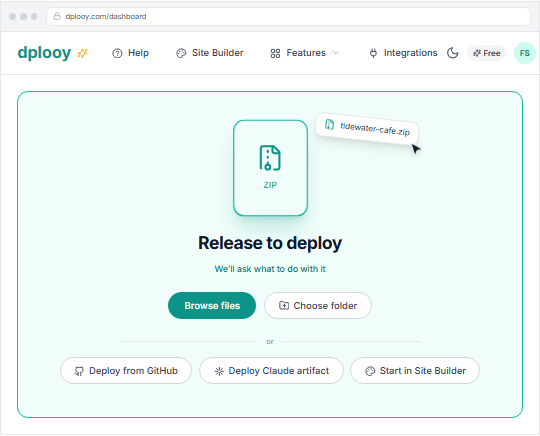
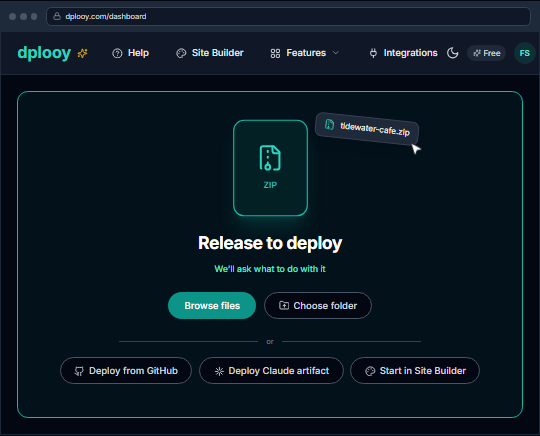
Sign in and drag the .zip onto the drop zone — the box that says Drop anything. We figure out the rest. Or click Browse files and pick it. The moment it sees a ZIP, the drop zone tells you We'll ask what to do with it.
- 3
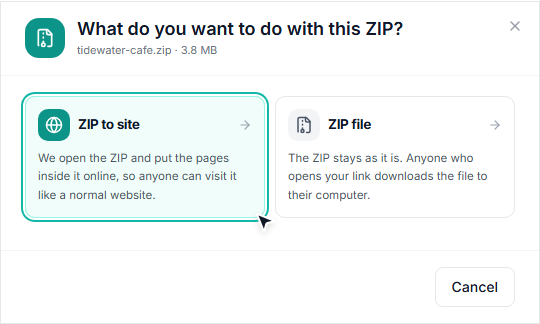
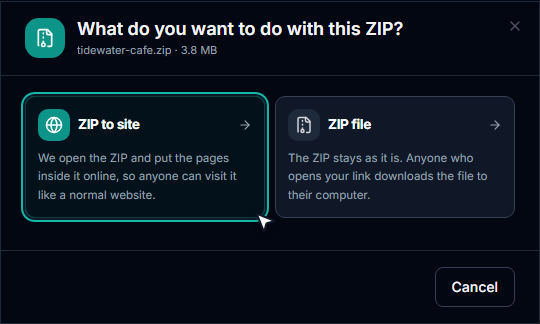
Choose “ZIP to site”
A ZIP can be a website or just a file you want to hand out, so Dplooy asks. Click ZIP to site to open the ZIP and put the pages inside it online. (ZIP file would give people a download link to the ZIP itself instead.)
- 4
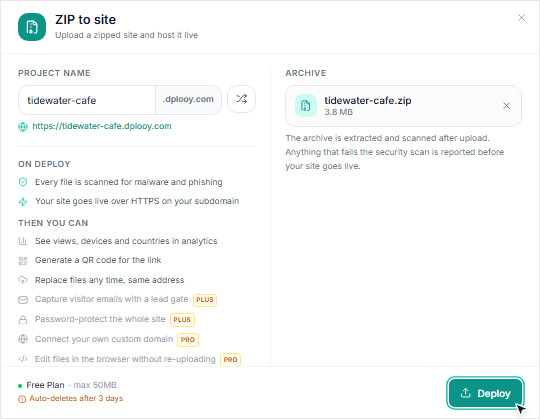
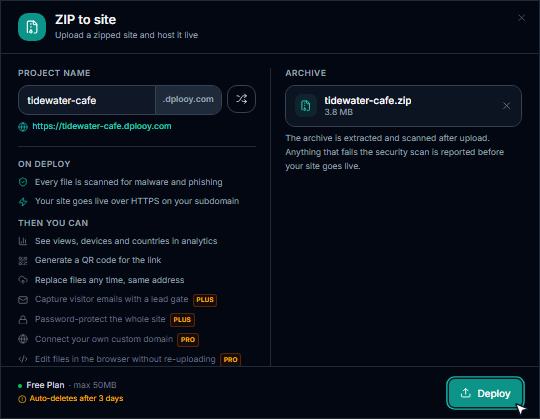
Name your site and click Deploy
Type a Project Name — it becomes your address, like
tidewater-cafe.dplooy.com— or press the shuffle button for a random one. Then click Deploy.Dplooy unpacks the ZIP, keeps your folders and file names exactly as they were so every link and image path still works, and scans every file for malware and phishing. If something fails the scan, you're told which file before anything goes live.
- 5
Open your live website
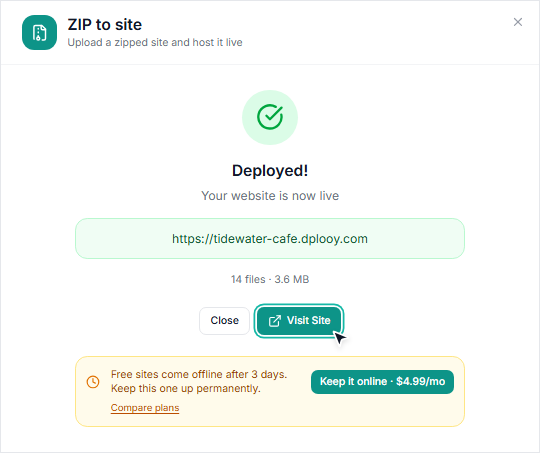
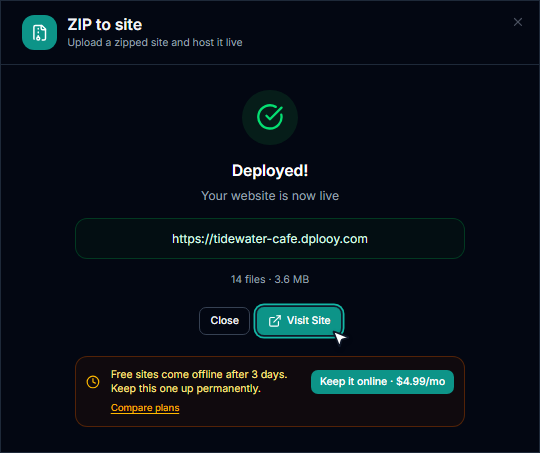
You'll see Deployed! and your new address. Click Visit Site — it's live over https, on phones and computers, for anyone with the link.
On the Free plan a site stays online for 3 days; Keep it online moves you to Plus ($4.99/month) so it stays up for good. Want to change something later? Open the site and use Replace files under Deploy — same address, no new link to send around.


What should be inside the ZIP?
Almost every failed ZIP upload comes down to one thing: where index.html sits. It has to be at the top of the ZIP, or inside one single folder at the top — and it must be named exactly index.html (or index.htm), in lower case.
Works — index.html at the top
- my-site.zip
- index.htmlat the top
- about.html
- css/
- style.css
- images/
- logo.png
Also works — one folder around it
- my-site.zip
- my-site/
- index.htmlone folder down
- css/
- style.css
Doesn't work — buried, or misnamed
- my-site.zip
- downloads/
- template-v2/
- html/
- home.htmlwrong name, too deep
Bought a template? Its download often holds documentation and several versions — zip only the folder that contains the index.html you want (often called html, dist or template). Got React, Vue or Next.js source code? That isn't a website yet: build it first, then upload the output folder — here's how.
ZIP won't deploy? The message, and the fix
Dplooy can't find your homepage
ZIP must contain an index.html file at the root level. If this is a React, Next.js, or Vue project, run its build command first and zip the build output folder instead.
- Open the ZIP:
index.htmlmust be at the top, or inside one folder at the top. Renamehome.htmlorIndex.htmltoindex.html, move it up, and zip again. It's a React, Vue or Next.js project
This is a React project, not a built site. Nothing was uploaded.
- You zipped source code. Run
npm installandnpm run build, then zip the output folder — usuallydistorbuild— and upload that. Step by step for Vite and React. The ZIP is too big for your plan
File size (72 MB) exceeds your plan limit of 50MB
- ZIPs can be up to 50 MB on Free, 500 MB on Plus and 5 GB on Pro. Compress big images and videos, and take out what the site never loads — design files, old versions and
node_modulesoften sneak in. The ZIP has too many files
ZIP contains 73 files, exceeding your free plan limit of 50 files
- Free sites can hold 50 files, Plus 100 and Pro any number. Delete files the site doesn't use, or upgrade.
The site opens, but images or styles are missing
- Check the paths in your HTML. Links like
C:\Users\…orfile:///…only work on your own computer — use paths relative to the page, likeimages/logo.png. And file names are case-sensitive online:Logo.pngandlogo.pngare two different files. The security scan blocked a file
- Every file is scanned for malware and phishing, and the window lists what it found and why. Remove the flagged file — often a login form that collects passwords, or a script from an unknown source — and upload again.
Frequently asked questions
How do I turn a ZIP file into a website?
Make sure index.html is at the top of the ZIP, drop the ZIP on your Dplooy dashboard, choose ZIP to site, give it a name and click Deploy. It's live on its own https address in under a minute.
Is hosting a ZIP website free?
Yes, on the Free plan: up to 3 sites, ZIPs up to 50 MB, each site online for 3 days. Plus ($4.99/month) keeps sites online for good, with 25 sites and 500 MB ZIPs; Pro ($12.99/month) adds your own domain and unlimited sites. Every plan includes unlimited traffic.
Do I need to unzip the file first?
No. Upload the ZIP as it is — Dplooy unpacks it for you and keeps your folders and file names exactly as they were.
Can I host a website template from ThemeForest or another marketplace?
Yes, if it's an HTML template. The download often contains documentation and several versions, so zip only the folder with the index.html you want to publish.
What can be inside the ZIP?
Everything a static website uses: HTML, CSS and JavaScript, images, fonts, video, audio, JSON and PDFs. Server-side code such as PHP doesn't run — Dplooy hosts static sites.
Will the links between my pages still work?
Yes, as long as they're relative links such as about.html or css/style.css. Dplooy keeps your folder structure, so every page, stylesheet and image stays at the same path it had in the ZIP.
How do I update the site after it's live?
Open the site on your dashboard and use Replace files under Deploy to upload a new ZIP. The address stays the same. On Plus and Pro the previous version is kept, so you can roll back.
Can I use my own domain?
Yes, on Pro. Connect a domain you own from the site's custom domain settings — Dplooy verifies it and sets up https for you. See custom domains.
Is there a traffic or bandwidth limit?
No. Every plan includes unlimited traffic and bandwidth; a per-site rate limit only protects sites from bot floods.
Put your ZIP online
Free account, live in under a minute. Plus keeps it online for good from $4.99/month.