Make Your HTML Contact Form Send You EmailsEven If ChatGPT or Claude Wrote It
An HTML form can't send email by itself — it needs an address to post to. This walkthrough gives your contact form that address in about five minutes. Every message lands in an inbox in your dashboard and in your email, with no PHP, no server and no JavaScript.
- Time
- About 5 min
- Steps
- 6
- Plan
- Plus & Pro
- Updated
- Sep 23, 2026


Before you start
- Your page as an HTML file, a folder or a ZIP — written by hand or by ChatGPT, Claude or any AI builder
- A Dplooy account on Plus or Pro — Forms aren't on the Free plan
- An email address where you want the messages
In this guide
How to make your contact form send emails, step by step
- 1
Open Forms from the Features menu
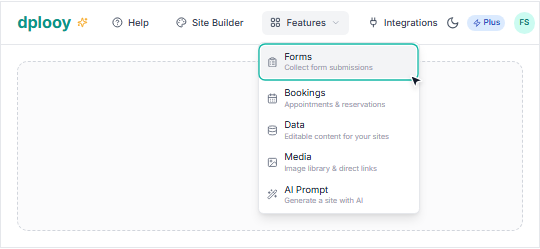
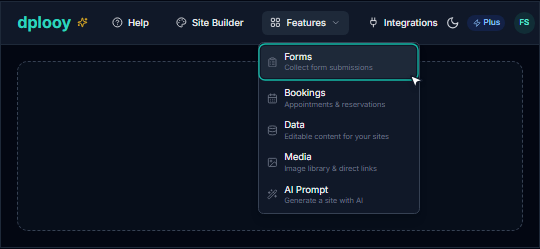
Sign in to your Dplooy dashboard, open the Features menu at the top and click Forms. This is where every form address you make, and every message people send through it, lives.
On a phone, the same Forms item is in the menu behind the ☰ button.
- 2
Create a form endpoint — the address your form sends to
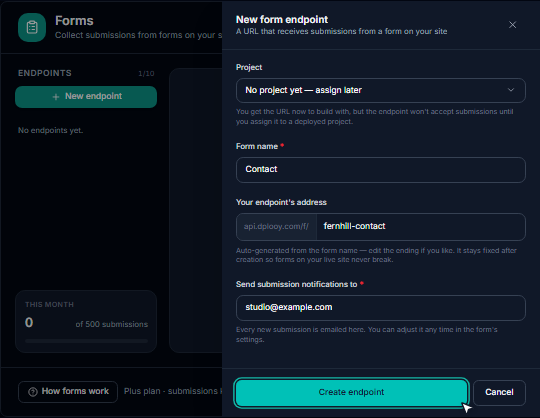
Click New endpoint. A panel slides in:
- Project — pick your site if it's already live, or leave No project yet — assign later. You get the address either way.
- Form name — something you'll recognise, like
Contact. - Your endpoint's address — fills itself in from the name. It never changes after you create it, so a live form can't break.
- Send submission notifications to — the email that should receive every message.
Click Create endpoint. You now have a permanent address like
https://api.dplooy.com/f/fernhill-contact.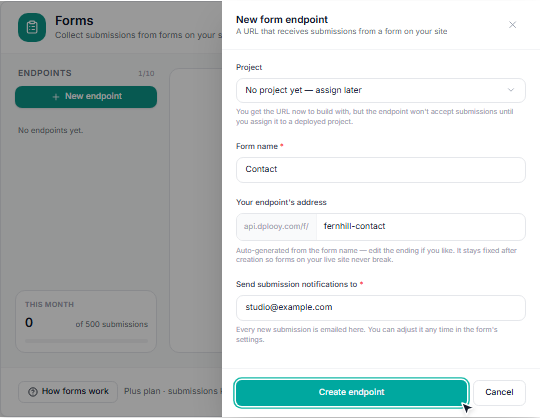
- 3
Point your form at it — with your AI, or by pasting code
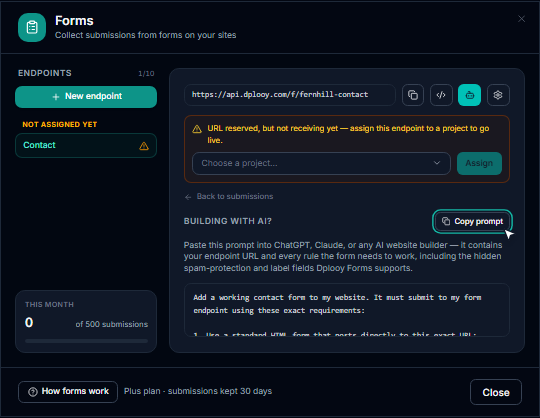
Open the endpoint and click the robot button, then Copy prompt. Paste the prompt into ChatGPT, Claude or whichever AI made your site, together with your page. It already contains your endpoint's address and every rule the form needs, so the AI rewrites your form to post to it.
Writing the HTML yourself? Click the </> button instead for a ready-made starter form — contact, newsletter, quote request, booking enquiry, feedback or job application — and paste it into your page.
The line that matters is the form tag:
actionmust be your endpoint's address andmethodmust bePOST.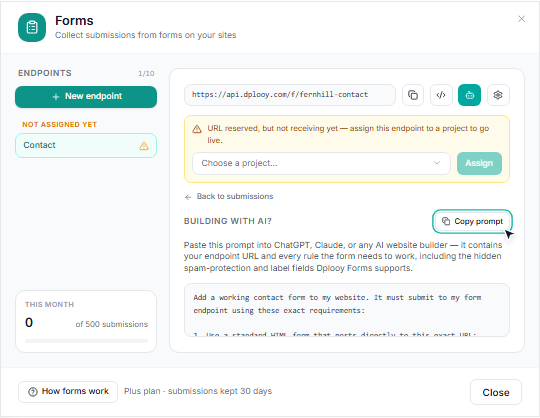
- 4
Put your site online
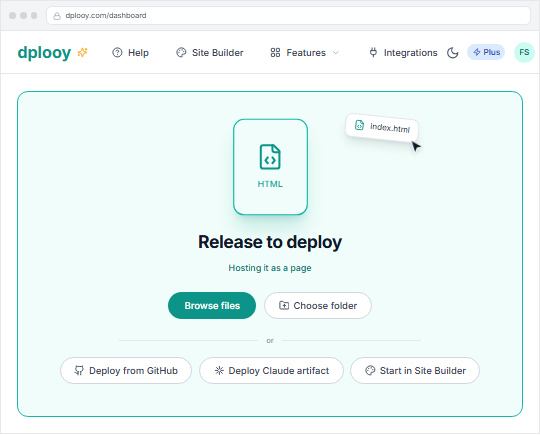
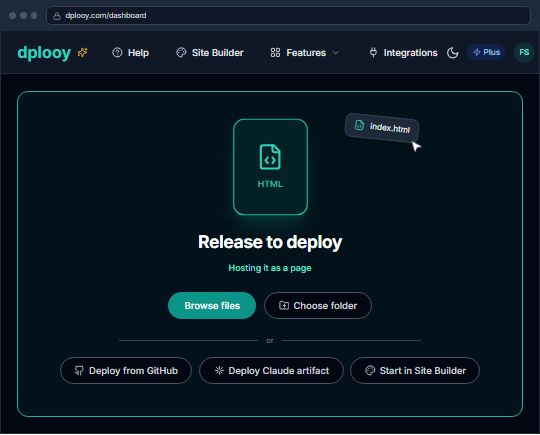
Go back to the dashboard and drop your updated page on the drop zone — the box that says Drop anything. We figure out the rest. A single HTML file goes live as a page; a folder or a ZIP goes live as a whole site. Give it a name and click Deploy.
Your site gets its own address, like
fernhill-studio.dplooy.com, with https already on. Hosting a ZIP? Here's that walkthrough.Already live on Dplooy? Open the site and use Replace file (Replace files for a folder or ZIP site) under Deploy — the address stays the same.
- 5
Assign the endpoint to your live site
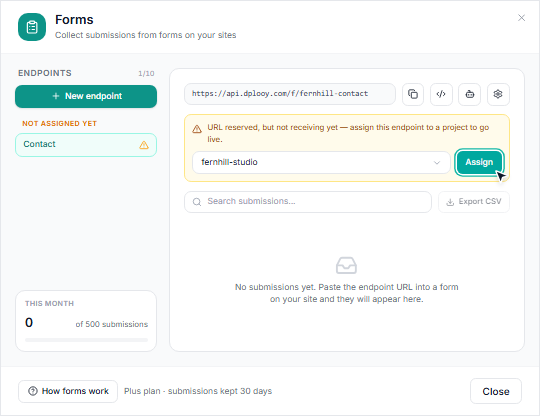
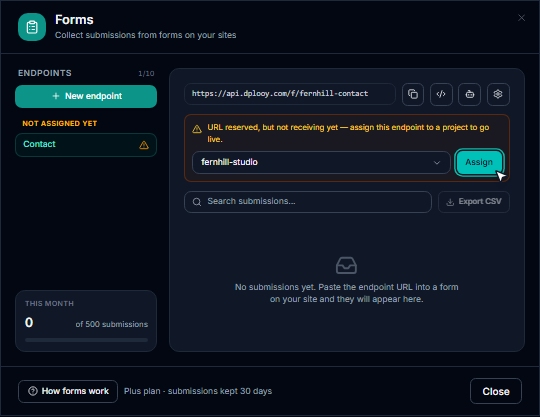
Back in Forms, open your endpoint. Until it belongs to a site it says URL reserved, but not receiving yet. Choose your site in the list and click Assign — the form starts working right away.
Opened Forms from your site's own card when you made the endpoint? Then it's already assigned and you can skip this step.
- 6
Send a test message and check your inbox
Open your live site, fill in the form and press send. You'll see a short Message sent screen, then you're taken back to the page — exactly what your visitors see.
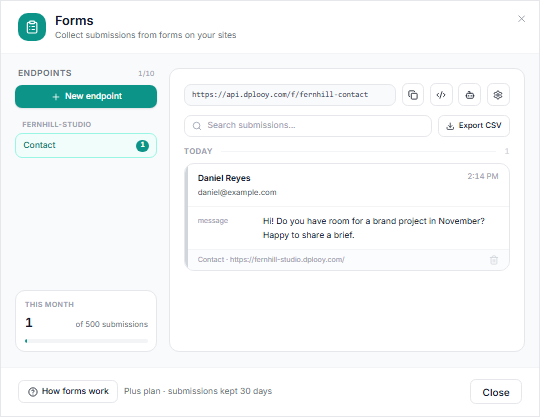
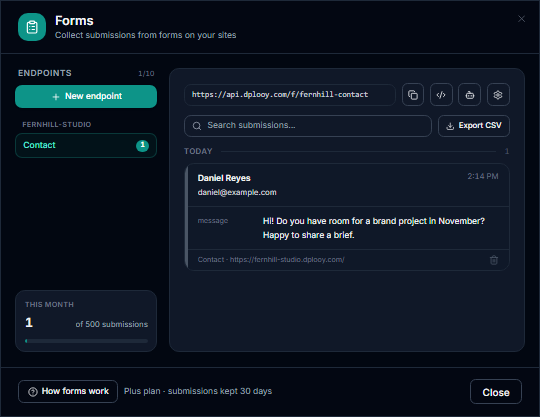
The message appears under the endpoint in Forms, where you can search it and Export CSV, and a copy arrives in your email as New form submission on your site's name. When your form has an email field, replying to that email answers the visitor directly.


Why your contact form doesn't send anything
An HTML form only packages what the visitor typed and sends it to the address in its action. With no address — or a mailto: link, or a script that just shows a thank-you message — nothing is delivered. AI tools often write exactly that: the fields look finished, but the form has nowhere to go.
<form onsubmit="alert('Thanks! We will be in touch.'); return false;"> <input type="text" name="name" placeholder="Your name"> <input type="email" name="email" placeholder="Your email"> <textarea name="message"></textarea> <button type="submit">Send</button></form>
<form action="https://api.dplooy.com/f/your-endpoint" method="POST"> <input type="hidden" name="_form" value="Contact"> <input type="text" name="name" placeholder="Your name" required> <input type="email" name="email" placeholder="Your email" required> <textarea name="message" placeholder="Your message"></textarea> <!-- Spam protection — keep this hidden field --> <input type="text" name="_gotcha" style="display:none" tabindex="-1" aria-hidden="true"> <button type="submit">Send</button></form>
The hidden _gotcha field is a spam trap: people never see it, bots fill it in, and anything that fills it is filtered out. The _form line labels the message so you can tell forms apart. After sending, visitors see a short Message sent screen and are returned to your page automatically. See everything Forms does on the Dplooy Forms page.
Contact form not working? Fixes for each symptom
Nothing happens when you press Send
- The form isn't posting anywhere. Check the
<form>tag:actionmust be your endpoint's address andmethodmust bePOST. Remove anyonsubmit,event.preventDefault()orfetchcode an AI added — the browser has to submit the form itself. Visitors get an error page instead of “Message sent”
Couldn't send your message
- The endpoint turned the message away. Open it in Forms and read the banner: not assigned yet — assign it to your site (step 5); paused — Resume it in its settings; form on a site hosted somewhere else — turn on Allow submissions from any website in its settings. It also appears once your plan's monthly limit is reached.
The message is in Forms, but no email arrived
- Check your spam folder first. Then open the endpoint's settings: Email me new submissions must be ticked, and Notification address is where they go (empty means your account email). Messages caught as spam are kept for a week but never emailed.
The form has a file upload field
File uploads are not supported. Submit as application/x-www-form-urlencoded.
- Your form has a file input or
enctype="multipart/form-data". Dplooy Forms take text fields only — remove both and the form sends normally. Ask for a link to the file instead. Test messages from the Site Builder preview don't arrive
- Test on your published site. Forms only accept messages from your live site (or a local HTML file on your computer) — not from the Site Builder's preview or editor.
Forms asks you to upgrade
Upgrade to unlock Forms — Forms is available on Plus and Pro plans.
- Forms come with Plus ($4.99/month) and Pro ($12.99/month). Your sites, drafts and files stay where they are when you upgrade.
Frequently asked questions
Can an HTML form send email without a backend?
Not on its own. A form only sends what the visitor typed to the address in its action attribute, and something at that address has to receive it and send the email. A form backend like Dplooy Forms is that something: paste its address into your form and every message is stored and emailed to you, with no server code on your side.
Do I need PHP or JavaScript for a contact form?
No. The form posts as plain HTML to your Dplooy endpoint — no PHP file, no mail server and no JavaScript. The visitor's browser submits it the normal way.
Why doesn't the contact form ChatGPT or Claude made for me work?
Because it has nowhere to send the message. AI tools write the fields but leave the action empty, point it at a placeholder, or add a script that only shows a thank-you note. Give the AI the prompt from your endpoint's AI button and it rewrites the form to post to your endpoint.
Is Dplooy Forms free?
Forms are included with Plus ($4.99/month, 500 submissions a month, kept 30 days) and Pro ($12.99/month, 5,000 a month, kept 12 months). They're not on the Free plan. You can export every submission to CSV at any time.
How do I stop spam on my contact form?
Keep the hidden _gotcha field that comes with every starter form and AI prompt. People never see it, bots fill it in, and anything that fills it is marked as spam: kept for a week for you to check, never emailed and never counted against your monthly limit.
Can I use Dplooy Forms on a site hosted somewhere else?
Yes. The endpoint still has to be assigned to one of your Dplooy sites; then turn on Allow submissions from any website in its settings. By default only forms on the assigned site can send to it.
Where do I read the messages?
In Forms, under the endpoint: newest first, grouped by day, with search and Export CSV. Each message is also emailed to the address you chose, and when your form has an email field you can reply straight from that email.
Can I have more than one form?
Yes. Plus gives you up to 10 endpoints (3 per site) and Pro up to 50 (5 per site) — one for contact, one for quotes, one for a newsletter. Several forms can also share one endpoint; the hidden _form label tells them apart.
What does the visitor see after pressing Send?
A short Message sent screen — you can change the wording in the endpoint's settings — and then they're returned to your page automatically after about two seconds.
Can the form accept file uploads?
No. Dplooy Forms take text fields only. If you need a file, ask visitors for a link to it instead.
Give your contact form somewhere to send
Forms come with Plus ($4.99/month) and Pro. Set one up in five minutes.